
Android Build
This content is for the 0.1.0 version. Switch to the latest version for up-to-date documentation.
This guide covers building both debug (testing) and release (production) builds for your RPG Maker game wrapped with Ludens.
Debug Build
Section titled “Debug Build”For quick testing on an emulator or physical device.
Option A: Run Configuration (Recommended)
Section titled “Option A: Run Configuration (Recommended)”If you prefer using the Android Studio interface:
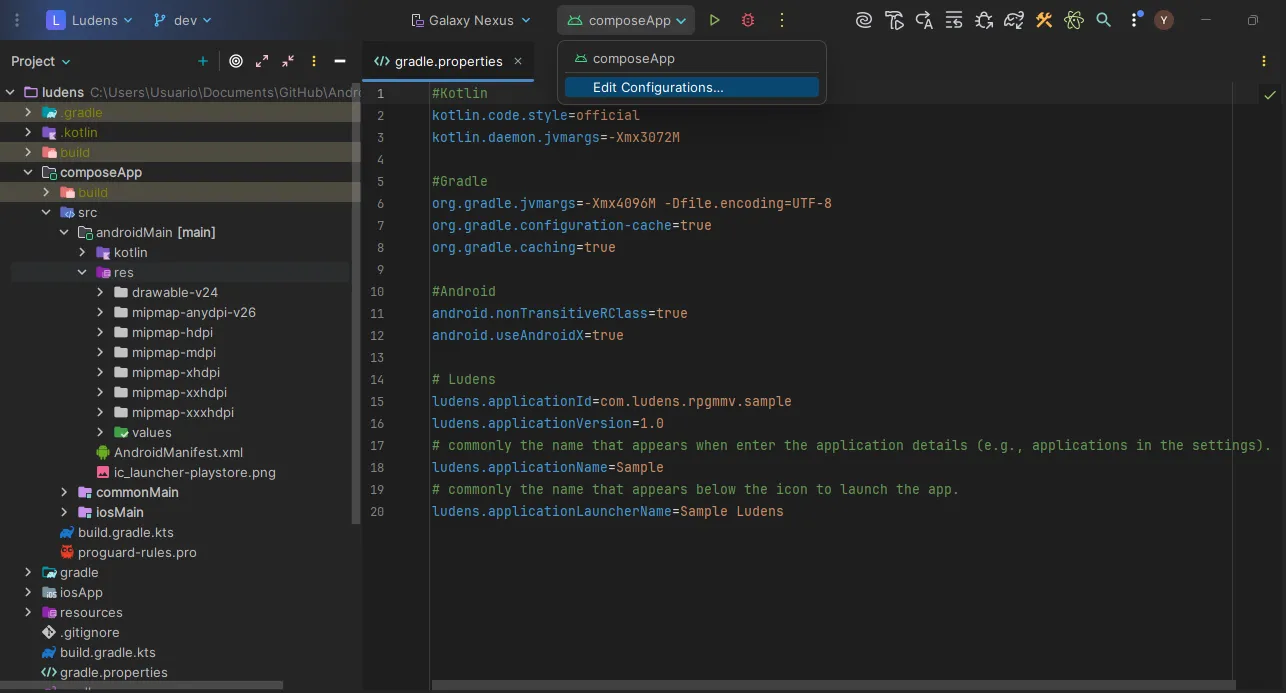
- Open the configurations menu and select Edit Configurations….
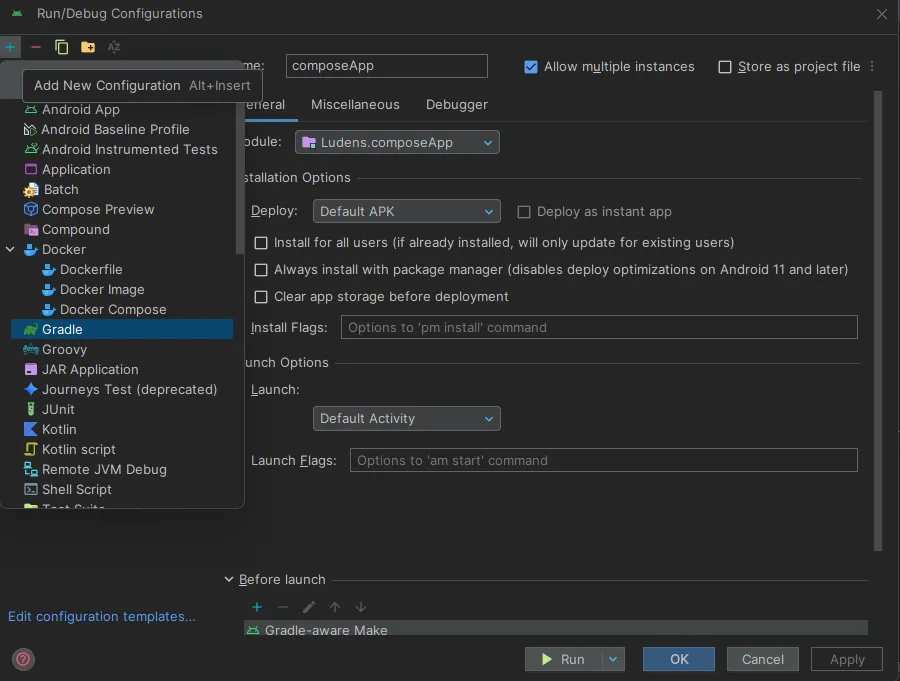
- Add a new Gradle task.
- Name the task (e.g.,
assembleDebug) and in the Arguments field type:assembleDebug.
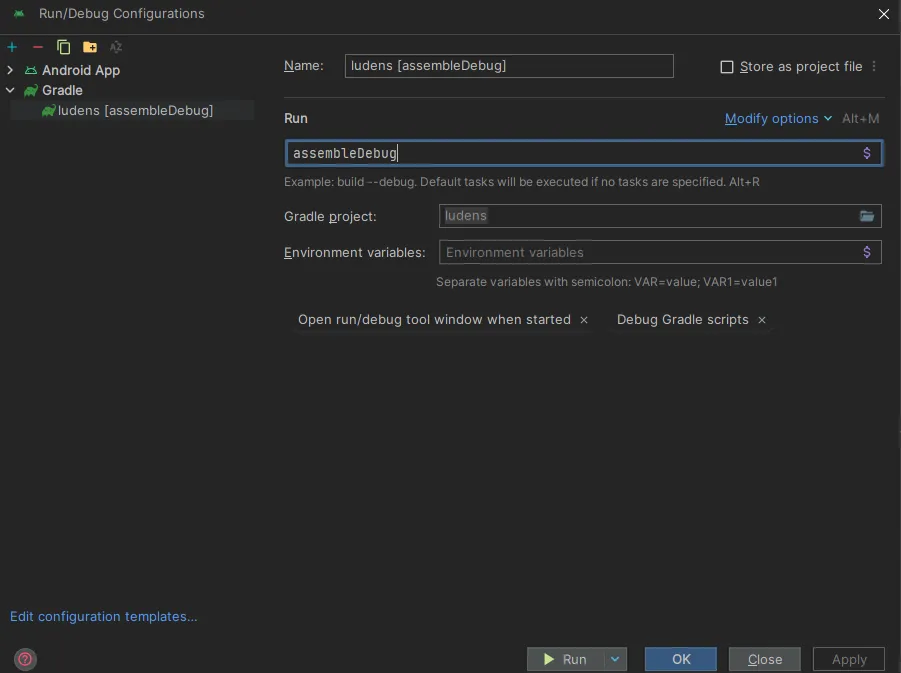
- Click Run to start the build.
Option B: Terminal
Section titled “Option B: Terminal”- Open the Terminal tab in Android Studio.
- Run:
Terminal window ./gradlew assembleDebug
Result
Section titled “Result”The APK will be generated at:
composeApp/build/outputs/apk/debug/composeApp-debug.apk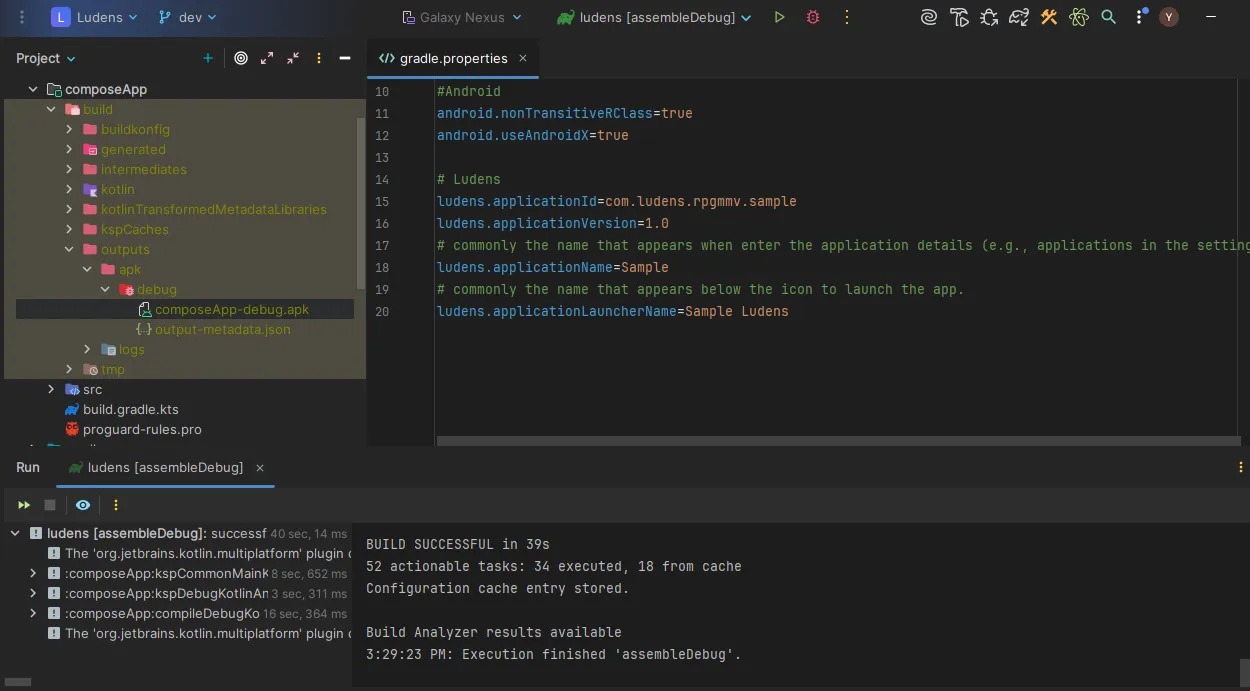
Release Build
Section titled “Release Build”To generate a signed APK for production distribution.
Option A: Android Studio Wizard
Section titled “Option A: Android Studio Wizard”This option guides you step-by-step through signing your application.
- Go to Build > Generate Signed Bundle / APK.
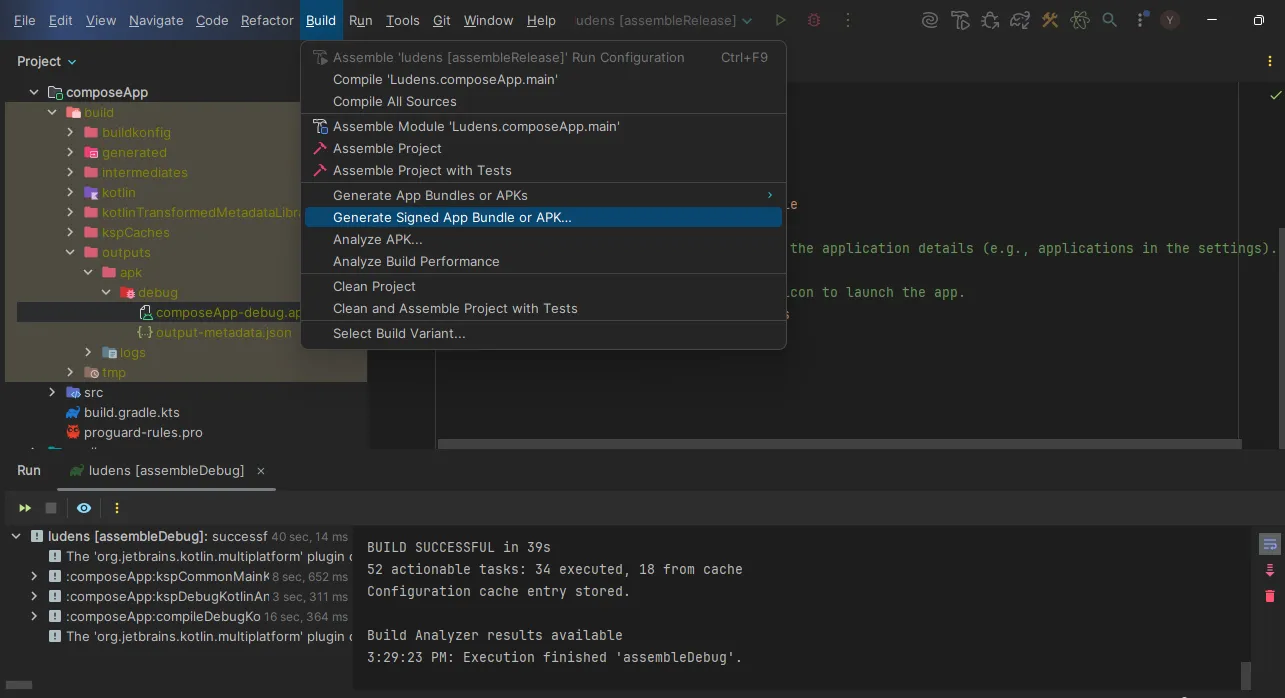
-
Select APK and click Next.
-
Configure your Keystore:
Create New — If you don’t have one, click Create new….
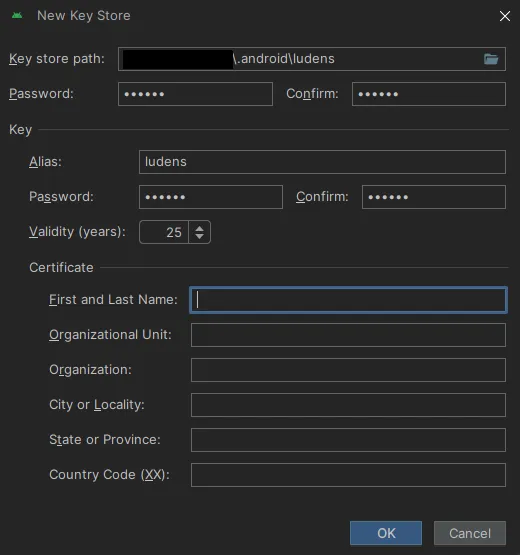
Use Existing — If you already have one, load it and enter credentials.
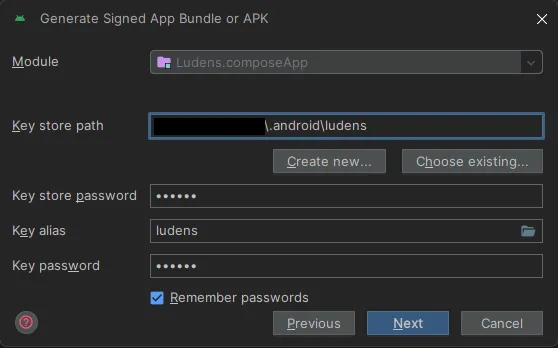
-
Select the release build flavor and click Create.
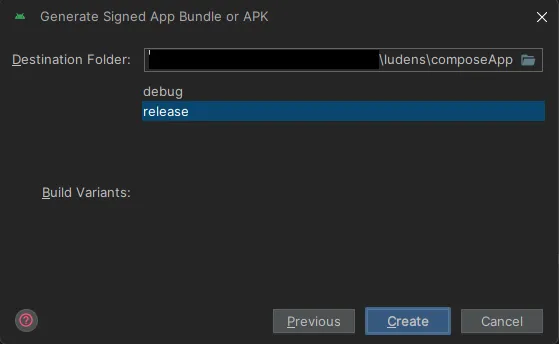
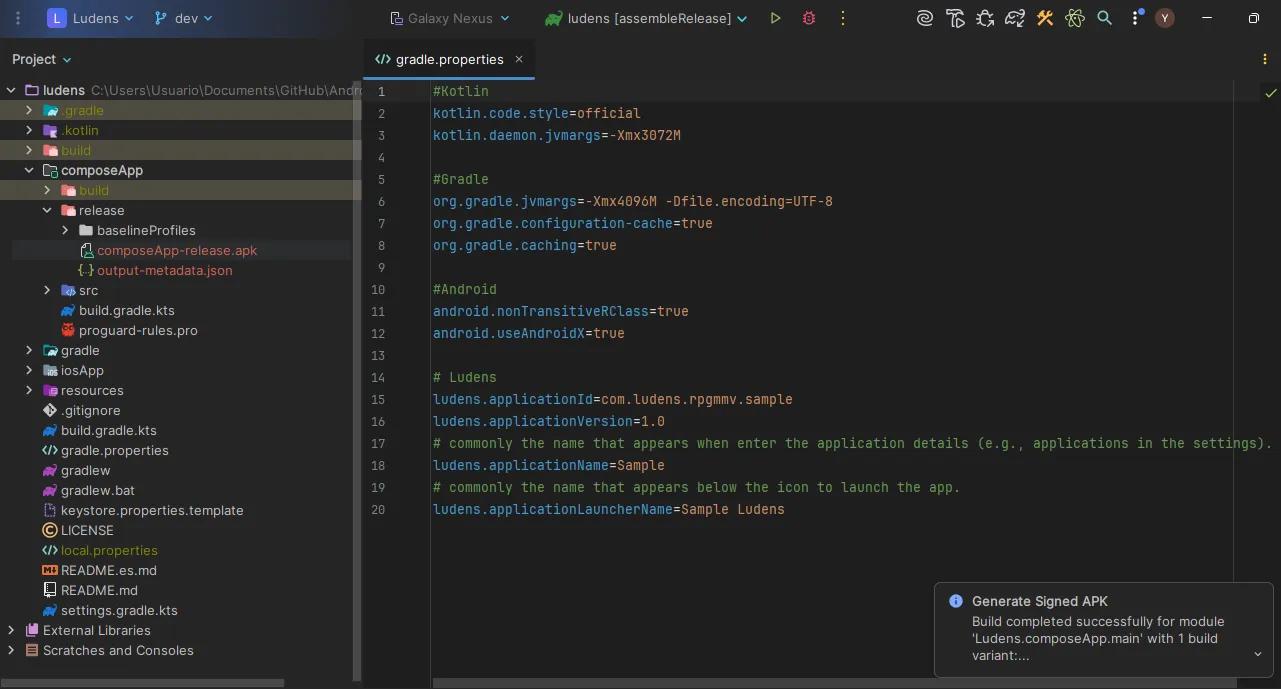
- Result:
Option B: Gradle Task
Section titled “Option B: Gradle Task”Ideal for automating the build, but requires prior manual configuration.
-
Ensure you have your
.jksfile (Keystore) generated. You can use Step 3 of Option A to create it. -
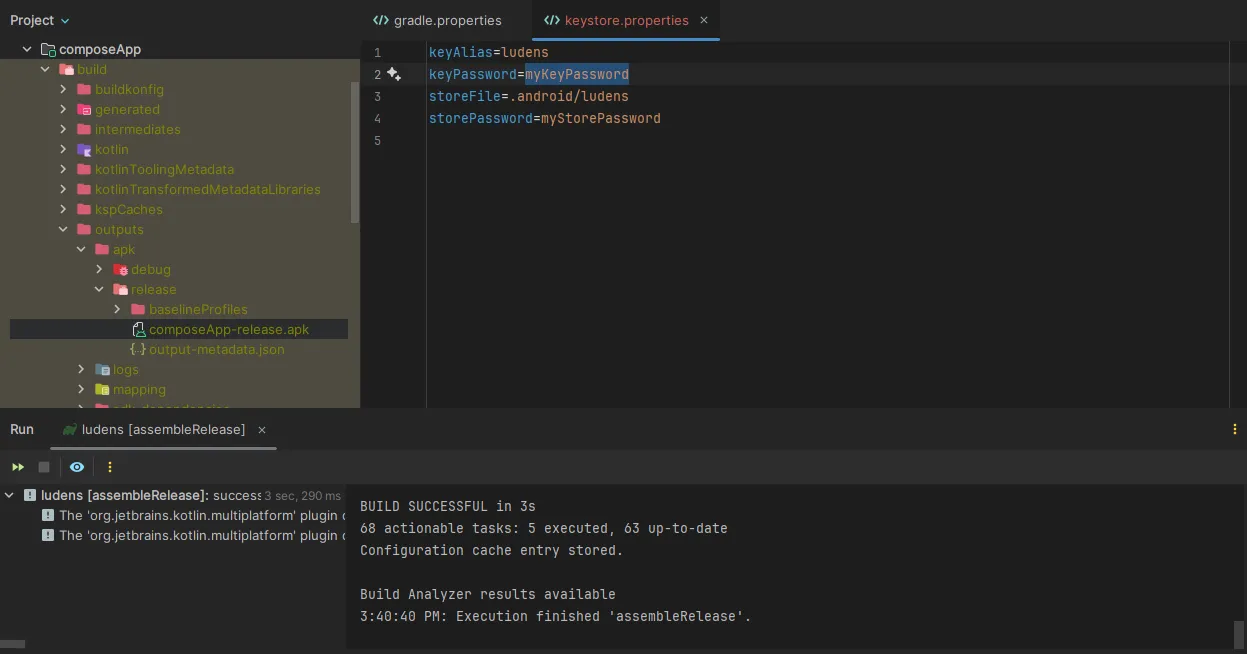
Create or edit the
keystore.propertiesfile in the project root with the path and credentials:storePassword=your_store_passwordkeyPassword=your_key_passwordkeyAlias=your_aliasstoreFile=C:/Path/To/Your/key.jks -
Run the
assembleReleasetask:Terminal window ./gradlew assembleRelease -
Result:
Output Location
Section titled “Output Location”| Method | APK Location |
|---|---|
| Wizard (Option A) | composeApp/release/ (or the folder you selected during the wizard) |
| Gradle (Option B) | composeApp/build/outputs/apk/release/composeApp-release.apk |